
Why We Built DevPeek
Why We Built DevPeek (1): HTTPS Decrypted, Body Still Gibberish
9:40 PM, pinged in the group again
Night before a release. QA dropped a line:
“Staging login is broken—production users are reporting it too.”
Not a scheduled joint-debug session. People were already chasing updates in the thread.
Proxy on, HTTPS decrypting fine. That POST /api/user/login showed 200—the path looked healthy. I opened the request body anyway:
{
  "payload": "U2FsdGVkX1+8K3v… (long string continues)",
  "sign": "a8f3c2…"
}
TLS was fine. payload was still a Base64 blob. We had been shipping this style of API for years: gateway-wrapped body, AES on the fields, a sign on the side. Normal on a slow day. That night was not slow.
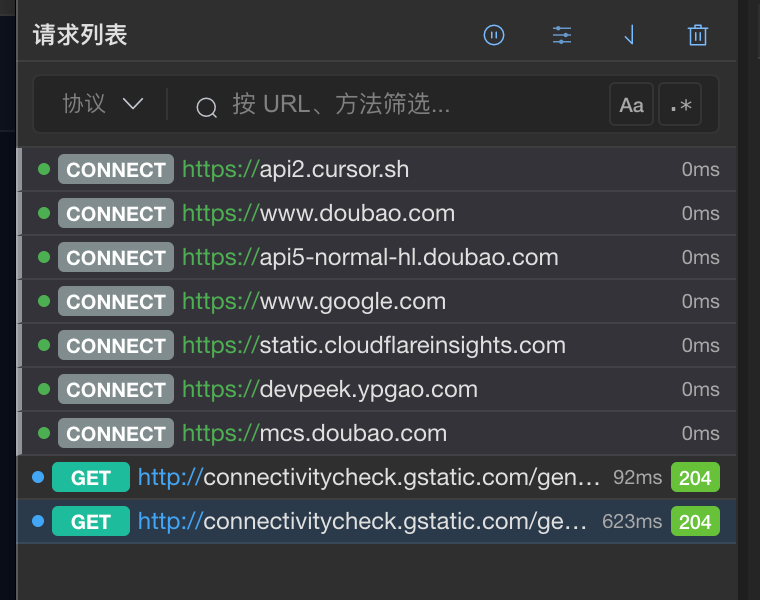
TLS is decrypted in the list—but fields like payload can still be ciphertext.
Fine most days. Miserable when you are rushed.
My usual loop looked something like this:
Copy the ciphertext. Open an online decrypt page—I keep three of those bookmarked. Paste, get plaintext. Backend says “try field X,” so I edit it, encrypt again, and replay in Postman or a script.
Charles handles HTTPS. Business-layer crypto still lives somewhere else. When I am not in a hurry, hopping windows is annoying but survivable. When time is tight, bouncing between capture, browser, and terminal gets old fast.
That night
The payload in the request was still ciphertext. I could not tell where login was failing. I dropped a screenshot in the backend channel: “Can you help read the body plaintext?”
Message sent. Reply not in yet. The decrypt script in my terminal was already running—done this so many times it is basically reflex.
Then the reply:
“Staging uses key set B. Do not decrypt with production keys.”
The API itself was fine. Time went to matching keys and environment first. Until the plaintext lines up, there is nothing useful to debug.
Then a small ask: “Change userId in the request to 0 and run login again—see if auth is misjudging.”
That means touching the login request the app actually sends. Same encrypted body. Same grind: decrypt, edit the field, encrypt again, let the app emit something the server will accept.
I tried Breakpoints in Charles to edit it in flight. Open the body—ciphertext. Cannot edit. Back to the Python script under scripts/debug/, untouched for three months. Postman can send a version, but headers, cookies, and signing order never quite match the real app path, so you never fully trust the result.
QA kept asking: “So can we log in on staging?”
I burned nearly an hour in that manual loop. Looking back, they wanted to check one or two fields.
Before standup, product added: “Check signup too—same encryption as login.” New URL. Copy the script. Tweak it. Same grind again.
A new backend teammate asked which key each endpoint uses. The doc is in Confluence. Not something you see in the capture UI.
We were never stuck on TLS
Charles and Fiddler earn their keep stripping HTTPS. The grind sits one layer up: request bodies still ciphertext, and every edit or replay still done by hand—decrypt, change, encrypt again.
Certs are fine. The endpoint returns 200. The thread is still blowing up. And somehow you still cannot skip copying ciphertext, matching staging vs production keys, or the decrypt–edit–re-encrypt–replay loop.
After that night
Before standup, my head was still on last night’s login request.
The proxy already sat on the path. TLS was stripped. Business-layer crypto still lived outside the proxy—external sites, terminal scripts, Postman, each doing its own thing. Change one userId? They wanted one or two fields checked, and the whole manual loop had to run again.
After grinding through that night, a blunt thought surfaced: what if one tool owned capture and business-layer crypto together? The proxy is already in the chain—decrypt scripts, environment keys, edit-and-replay should not mean hopping across four windows.
That is roughly where DevPeek started.
The first piece we wanted to pull in was the part that night would not let go of—outbound requests. Charles handles TLS; we would handle the layer above: read ciphertext in the proxy, edit plaintext, encrypt again on the way out—and request-only first, because that was the slowest, hardest-to-skip slice of joint debugging.
That became param transform. It maps onto the same manual steps, except you never leave the capture UI:
Conversion config handles how to decrypt and re-encrypt. Staging key set B vs production key set A lives next to your capture context—no more Confluence hunting. The Python under scripts/debug/ can move into script conversion; common AES setups can use built-in algorithms.
Param transform rules decide which requests and which parameters get converted. Right-click POST /api/user/login, pick URL + payload, bind the conversion config—save once, matching traffic hits it automatically.
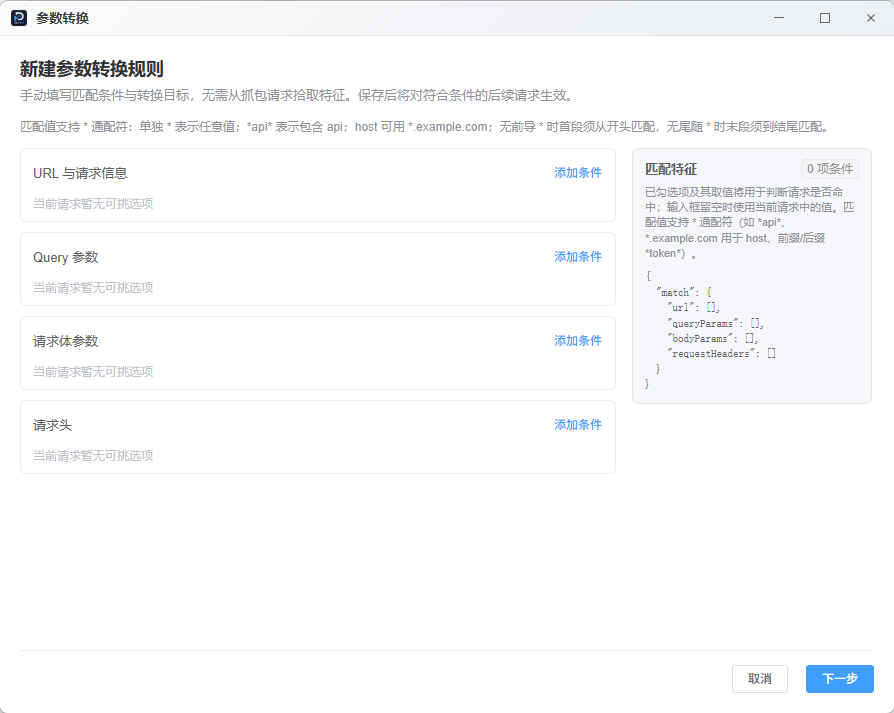
Pick URL and encrypted fields from a captured request; bind a conversion config once.
Once that is in place, you mostly work in plaintext: decrypted fields show up in details; when backend says “try userId = 0,” edit in Mock tamper or the “Debug API” drawer and send—DevPeek re-encrypts on the way out while headers, cookies, and signing stay on the real app path. The Mock tamper dialog is not limited by client tab—whether you are on Capture or Debug, it auto-opens while items are pending, on the same proxy chain as capture and Debug tab Network. Signup? Change the URL match, reuse the config.
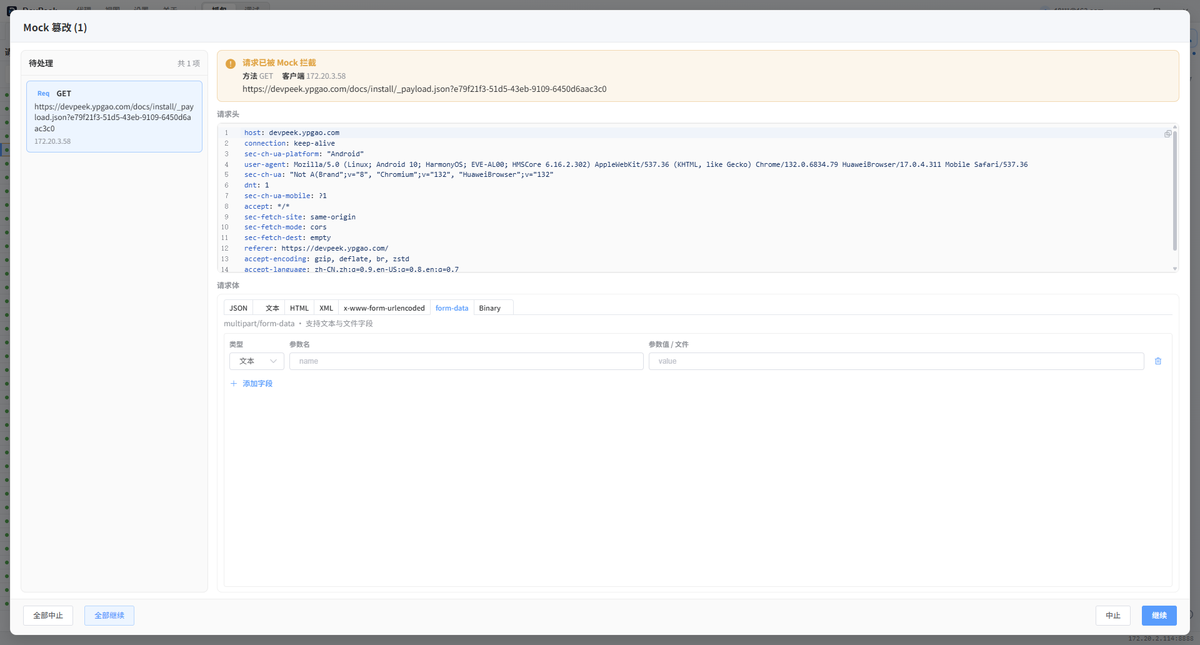
On manual Mock hit, edit plaintext in the dialog—Continue re-encrypts on the way out, no Postman hop.
The list still records what the client actually sent; plaintext lives in details for comparison. Postman and that three-month-old Python script can step back.
An hour that night was really about one or two fields. DevPeek grew from there; param transform was the first piece to land—turning that verification into “edit the value, hit send.”
Next
Why We Built DevPeek (2): That H5 Page in the App—Debug It on Your PC—mobile pages opened through the proxy, mirrored in the Debug tab, with our own panel for DOM, console, and network—not just squinting at the phone.
If you are still hand-rolling request bodies under pressure, try DevPeek or say hi on GitHub Discussions—param transform guide: docs.