
API Debugging New Tricks
H5 API Encrypted? Decrypt It On the Fly with DevPeek
Your H5 page encrypts the API body before sending it — {"userId":"123","keyword":"can't see me"} becomes { "data": "6be9792e5ed250fc..." }. What you see in the DevPeek request list is a blob of hex, with no clue what was actually sent.
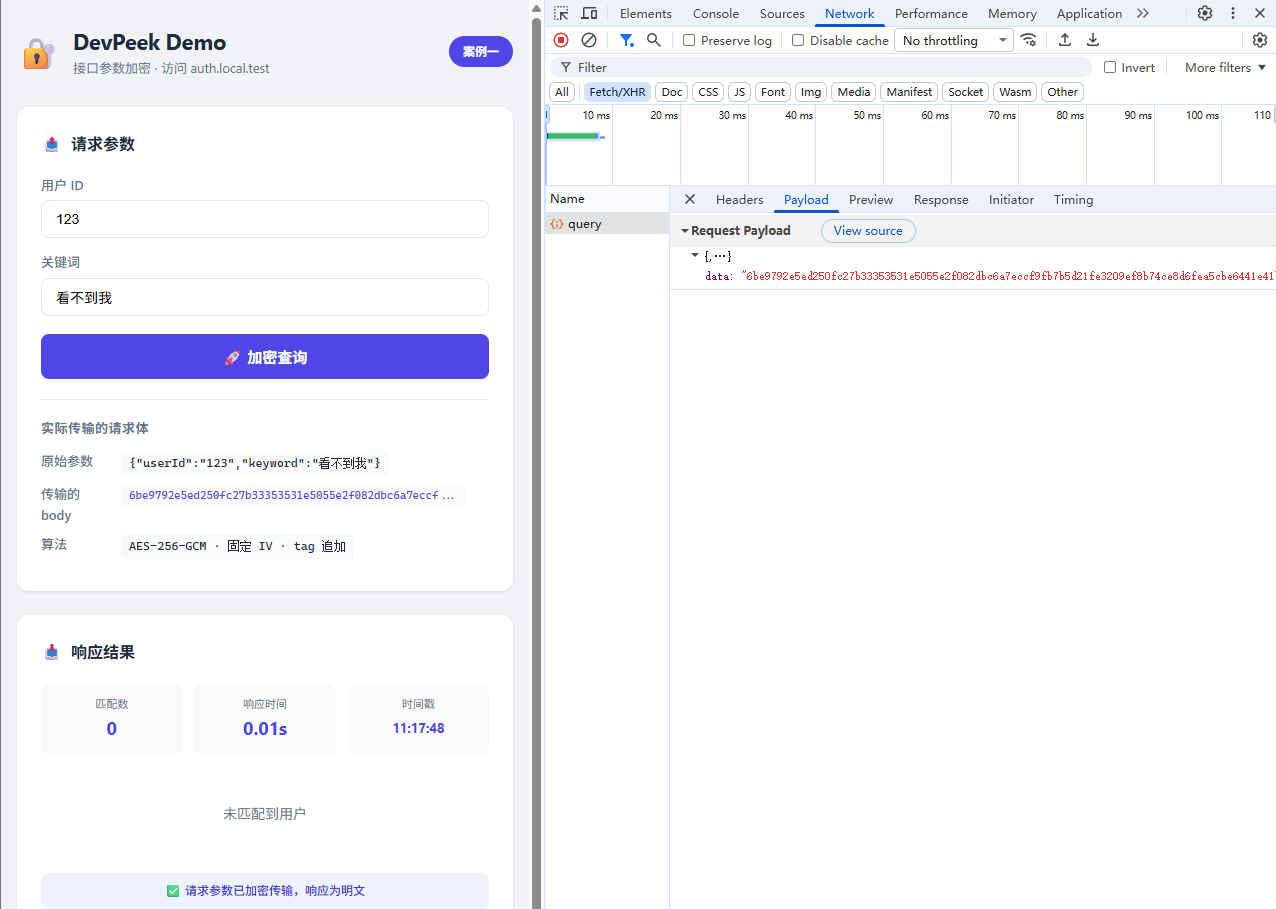
DevPeek can't make sense of it either:
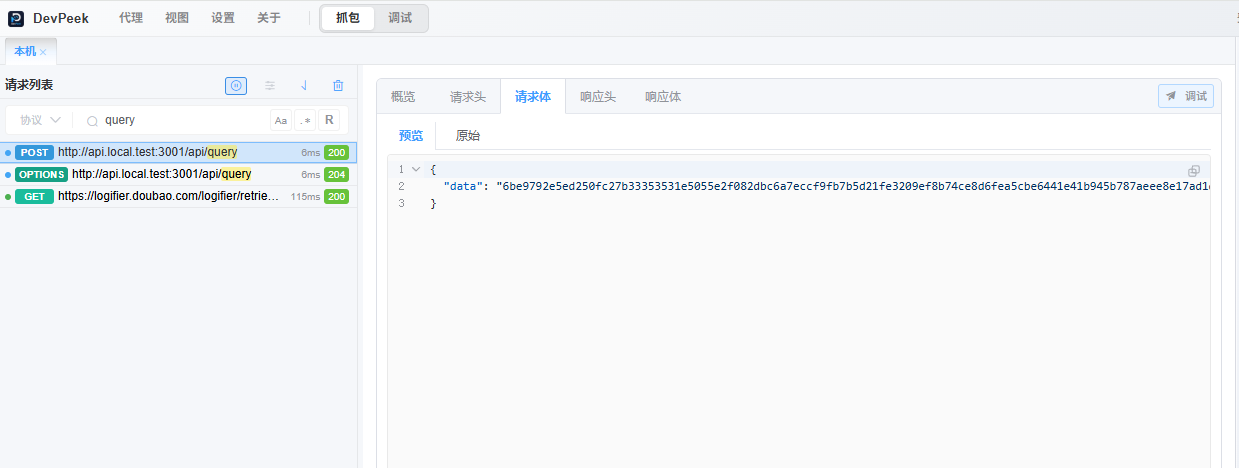
This pattern is common in embedded H5 apps: the entire request body is symmetrically encrypted, and the backend decrypts it on receipt. It's a reasonable security measure, but during integration it means you can't read the parameters, can't write Mock rules, don't know what to change at breakpoints, and end up guessing your way through issues.
This article shows how DevPeek's Param Transform feature can automatically decrypt those parameters — set up the rule once, and every matching request shows plaintext alongside the ciphertext.
Who This Is For
- Developers who frequently deal with encrypted API parameters during H5 integration
- Engineers using or evaluating DevPeek for debugging encrypted API traffic
- Anyone tired of manually decoding parameters or pestering the backend team for decryption help
Common Pitfalls
- AES parameter mismatch — key encoding, IV encoding, and input encoding defaults don't match your actual format, causing silent decryption failures
- Auth Tag placement confusion — GCM auth tags may be appended to the ciphertext or delivered separately
- Decrypt-only setup — once you edit parameters and want to replay, DevPeek doesn't know how to re-encrypt without a two-way rule
The example below uses AES-256-GCM with a fixed IV, auth tag appended to the ciphertext, and hex encoding — the most common combination.
Step 1: Configure the Encryption Rule
Right-click on the request → Param Transform:
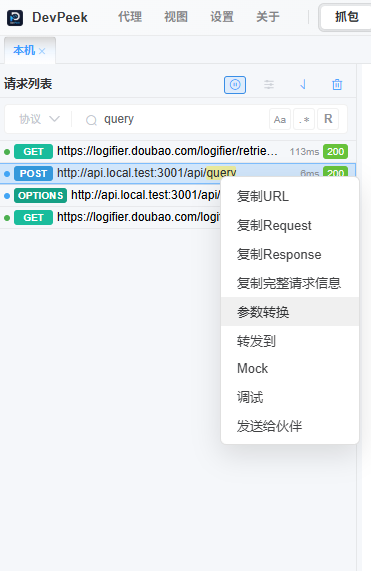
In the Param Transform Rules window, first create a Conversion Rule to tell DevPeek which algorithm and key to use.
Go to the Conversion Rules tab → Add → Built-in → select AES-GCM:
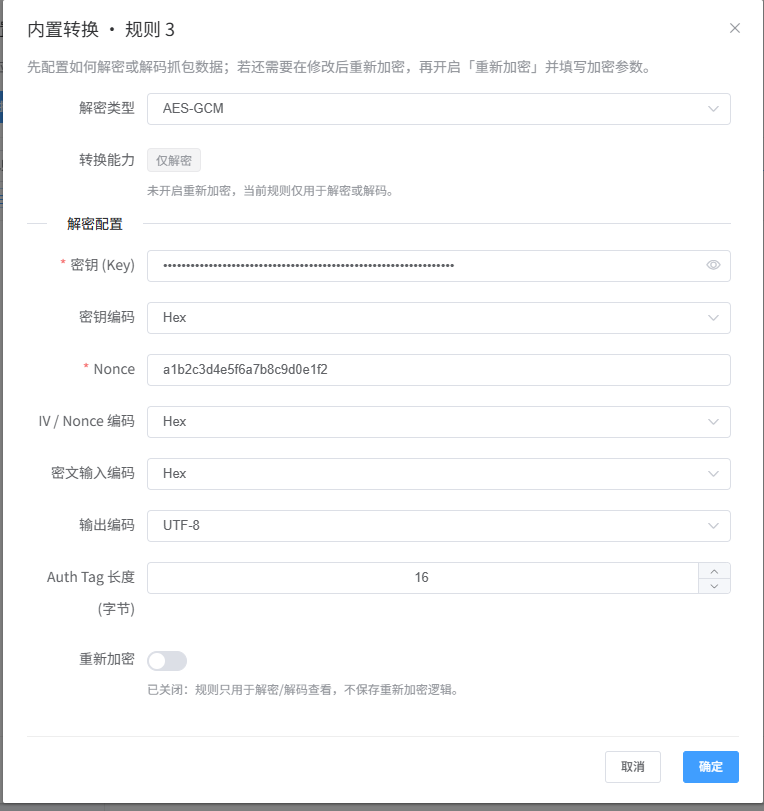
Fill in the parameters (this is where most mistakes happen — double-check every field):
| Field | Value | Note |
|---|---|---|
| Algorithm | aes-gcm |
|
| Key | 342e668900166e5f6731f7a172f52862e3a43da54611519dec5246dadb6e7429 |
SHA-256 derived 256-bit key |
| Key Encoding | Hex ⚠️ | The key is a hex string, not UTF-8 text |
| IV / Nonce | a1b2c3d4e5f6a7b8c9d0e1f2 |
Fixed 12-byte IV |
| IV / Nonce Encoding | Hex ⚠️ | Same as above |
| Ciphertext Input Encoding | Hex ⚠️ | The demo outputs hex, not base64 (DevPeek defaults to base64) |
| Output Encoding | UTF-8 | Plaintext encoding |
| Auth Tag Length | 16 | GCM default — 16 bytes |
Why are these three encodings easy to get wrong? DevPeek's built-in AES-GCM defaults to
keyEncoding: utf8,ivEncoding: utf8, andinputEncoding: base64, but this demo uses hex. If you forget to switch them to Hex, DevPeek will use completely different bytes to decrypt — guaranteed failure. When decryption fails, check these three encodings first.
Save the rule. It now appears in the Conversion Rules list.
Completion criteria: A Conversion Rule with AES-GCM appears in the list.
Step 2: Configure the Param Transform Rule
Back in the Param Transform Rules window, add a new rule. This tells DevPeek which request's which field to decrypt using the rule from Step 1.
Match Conditions
After toggling the match conditions, the right panel previews the current request's features:
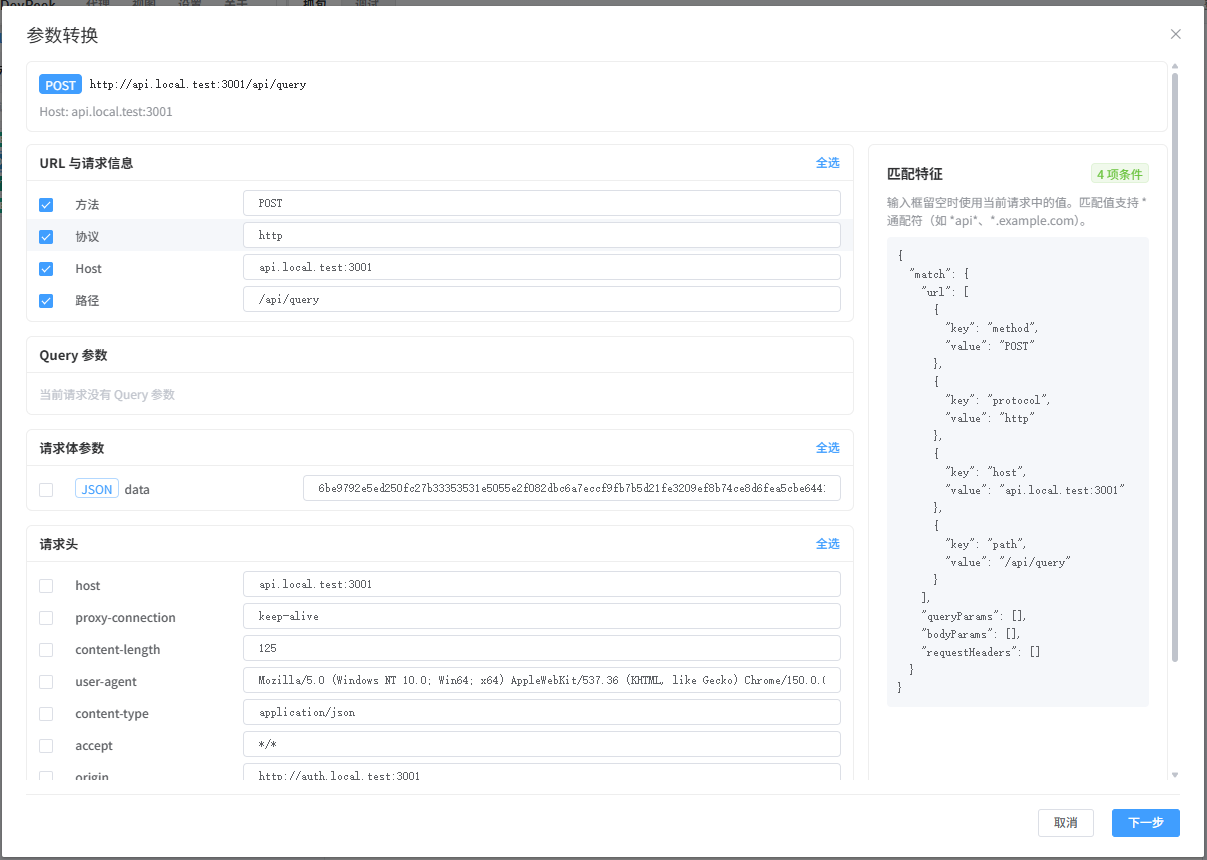
| Field | Value |
|---|---|
| URL Match | /api/query |
| Method | POST |
| Scope | Start with "Manual" to target only this request |
Transform Target
Body › JSON › data — tells DevPeek to decrypt the value of the data field in the request body.
Referenced Rule
Select the AES-GCM Conversion Rule created in Step 1. The right panel immediately previews the decryption result:
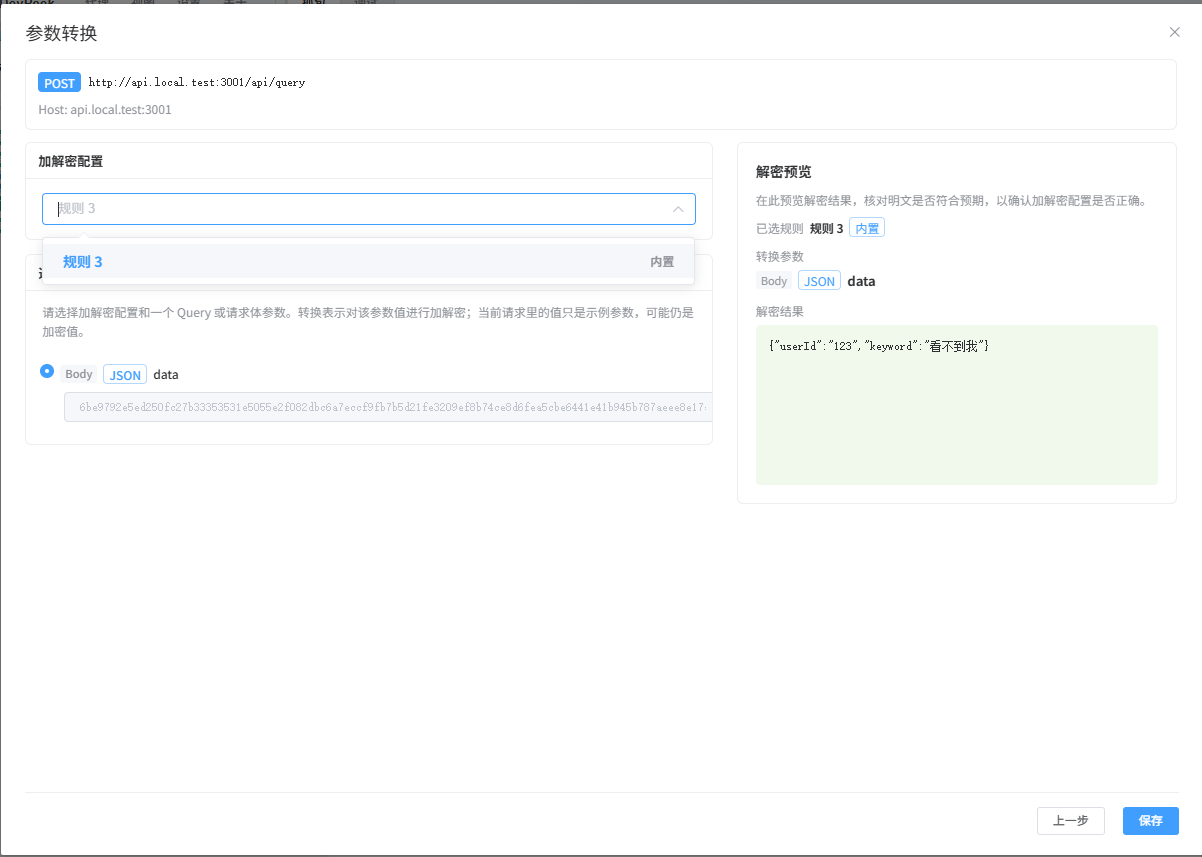
If everything is correct, the ciphertext in the data field is decoded to {"userId":"123","keyword":"can't see me"}.
Save the rule. Go back to the request list and inspect the same request:
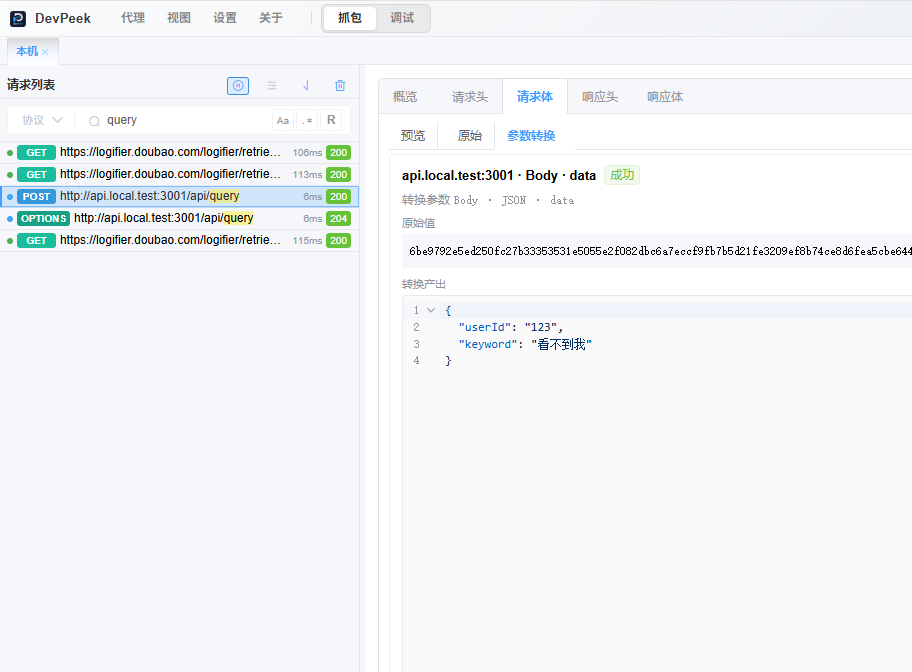
The plaintext now appears alongside the ciphertext — crystal clear.
Completion criteria: The request detail shows decrypted plaintext for the data field.
Going Further: Enable Two-Way Transform
With decryption working, you can enable two-way transform so that editing the plaintext in the debug drawer automatically re-encrypts it before sending.
Toggle the "Two-Way Transform" switch in the Param Transform rule:
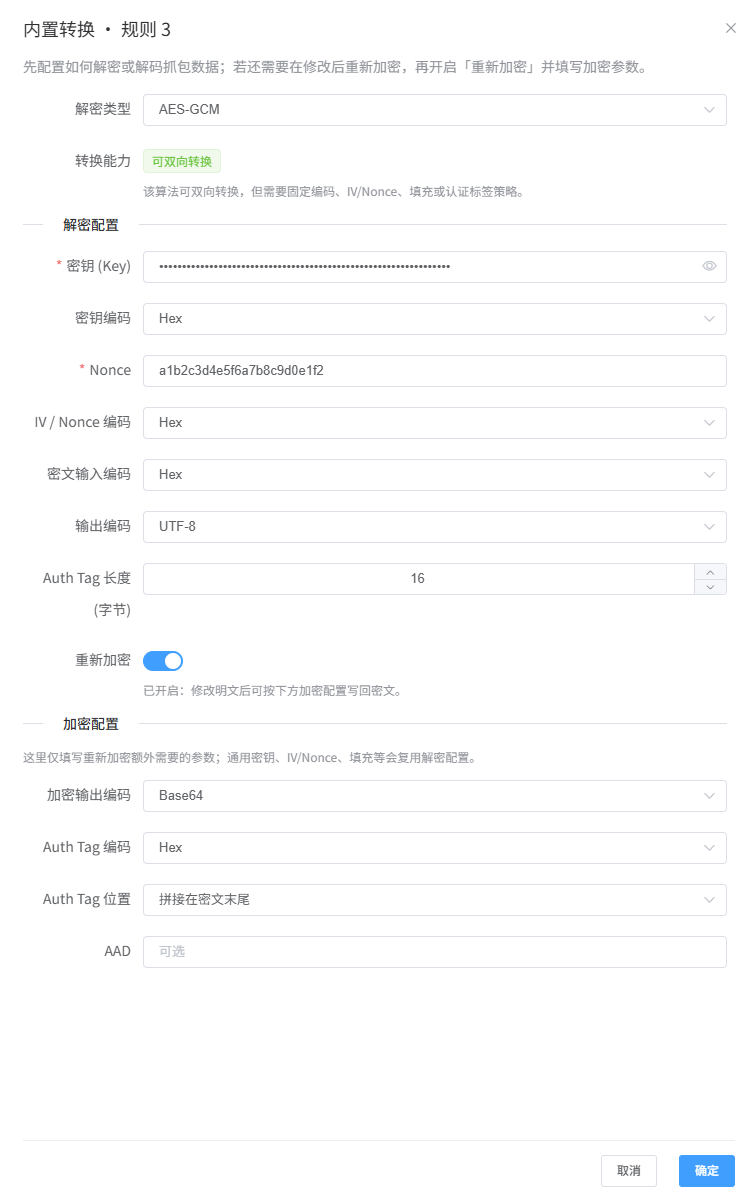
Before enabling, the ciphertext is editable and the plaintext is read-only — you can manually craft new ciphertext and replay it, but you'd need to handle the encryption yourself.
After enabling, the ciphertext becomes read-only, and the plaintext becomes editable. Edit the value and click "Send" — DevPeek re-encrypts it with the same AES-GCM parameters automatically:
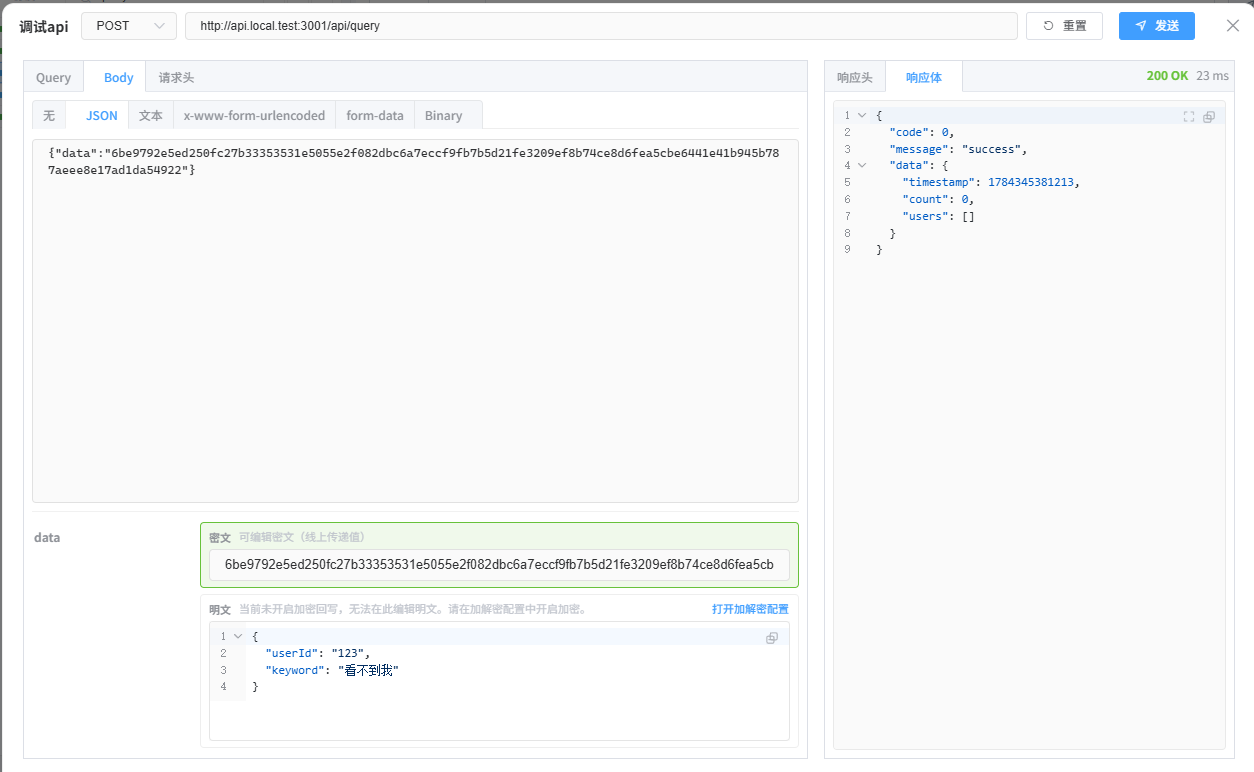
Now you can tweak parameters during debugging without worrying about the encryption process at all.
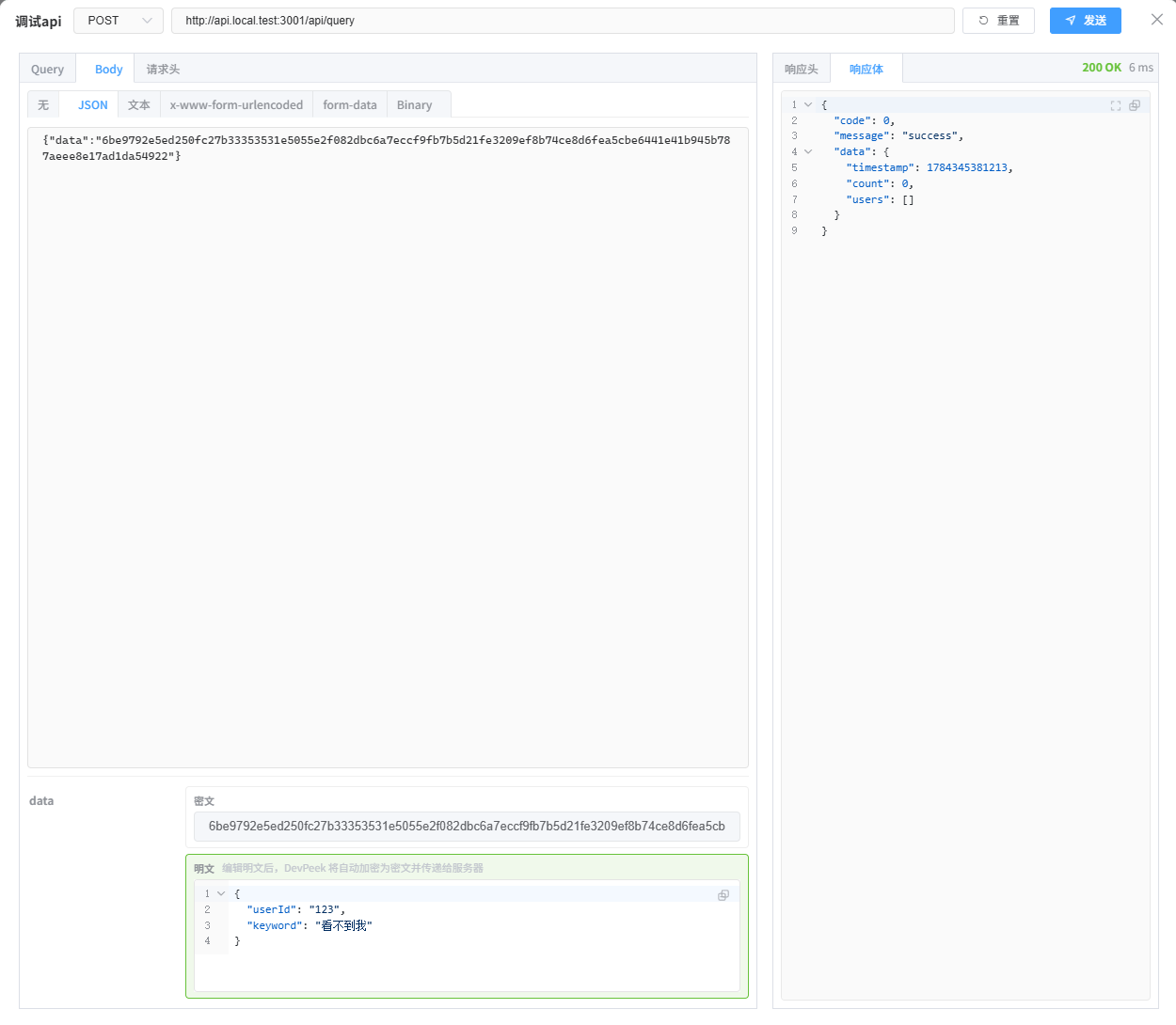
How Param Transform Works
Param Transform is a match → extract → decrypt → display pipeline:
Request arrives at DevPeek
    │
    ▼ Match paramTransformRules
    │   URL: /api/query, Method: POST
    │
    ▼ Extract target field value
    │   body:json:data → "6be9792e5e..."
    │
    ▼ Reference conversionRule to decrypt
    │   AES-256-GCM(key+IV, authTagPlacement=append)
    │
    ▼ Result stored in record.paramTransformDerived
    │   Original request body untouched, plaintext attached alongside
    │
    ▼ Displayed in: request detail, Mock matching, debug replay
DevPeek never modifies the original request — the ciphertext stays as-is, and the decrypted plaintext is stored separately in paramTransformDerived. This guarantees that even if decryption fails, the original data remains intact.
Built-in conversions support AES-CBC, AES-ECB, AES-GCM, DES-CBC, 3DES-CBC, RSA, and Base64. If those aren't enough, you can use Script Conversion — write custom JS decryption logic in a sandboxed environment, with access to the full request context. The sandbox includes a rich toolchain (util.crypto, util.encode, util.compress, util.json) plus APIs like axios, URL, and URLSearchParams, so you can make HTTP calls to fetch keys or delegate decryption to a remote service — ideal for dynamic IVs, rotating keys, and other complex scenarios.
Next Steps
This article covers the fixed-IV, tag-appended AES-GCM scenario. Real-world encryption schemes vary widely — if your API uses something different (e.g., dynamic IVs that must be extracted from the request body, or keys fetched from a remote service), check out Script Conversion — the sandbox comes with axios, util.crypto, and more, giving you the flexibility to handle any encryption scheme.
For a full reference of Param Transform configuration options and all built-in algorithms, see the Param Transform docs.
Next
New API Is Live, Frontend Hasn't Shipped? Debug with Forward Rules—when a service split leaves the frontend calling the old API, forward selected endpoints without changing frontend code; if the new service is not ready, use Mock to verify the page first.
If you're tired of manually decoding encrypted request bodies during integration, download DevPeek and follow the steps above to set up your first decrypt rule. Or join the discussion on GitHub Discussions to share your encryption setup.