
LAN collaboration
On the same LAN, DevPeek can discover peers and exchange the selected capture request or saved debug recordings so others can reproduce your context quickly.
Discover peers
Open Collaboration from the right rail to see the LAN user list and online count. If it stays empty, check that both desktops share a subnet and local discovery is not blocked.
Right-click a peer to set a local-only note. The list height, panel width, and expansion state persist.
Names and notes
Right-click in Collaboration to change your own display name, which peers can see. Notes assigned to other peers stay local and are never sent back.
What you can send
Capture requests
With a live request selected, use Send to peer. If the row is gone you may see “request no longer exists”. No online peers blocks sends until a peer is online.
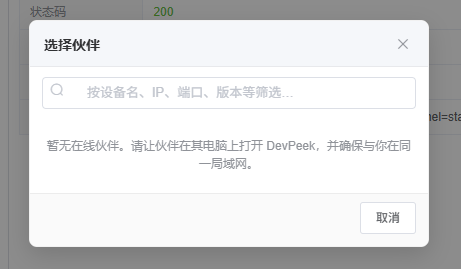
After **Send to peer**, pick an online device on the LAN; filter by device name, IP, port, or version.
Debug recordings
Recordings in History also expose Send. If payload files are unreadable, you’ll get a load error first.
Threads & filters
The lower panel lists incoming and outgoing request / recording messages. Filter peer selection by name, IP, port, or version. Failures commonly indicate firewalls, VLAN isolation, or an offline peer.
How Android transfer differs
Collaboration exchanges requests and debug recordings between DevPeek desktops. The separate Phone panel connects the Android companion for text, images, and ordinary files. See Android companion.
Collaboration is not a substitute for secure sharing—scrub secrets before sending.