
WebSocket sessions and WS Flow
DevPeek records proxied WS / WSS connections alongside HTTP requests, with handshake details, frame search, simulated sending, text-frame interception, and HAR export. WS Flow can replace the upstream with a virtual server.
WebSocket sessions and single-file WS Flow have been available since 1.4.0. Multi-file workspaces, generating a skeleton from a capture, and forwarding to a real upstream are not available yet.
Inspect a WebSocket connection
The client must use the DevPeek proxy. WSS also requires CA trust and a host included in SSL decrypt scope.
- Select the client tab in Capture and filter for WebSocket content.
- Expand WebSocket Connections below the request list and select a connection.
- Use Overview for URL and state, Handshake for Upgrade details, and Session for frames.
- The HTTP Upgrade row and connection remain secondarily highlighted for cross-reference.
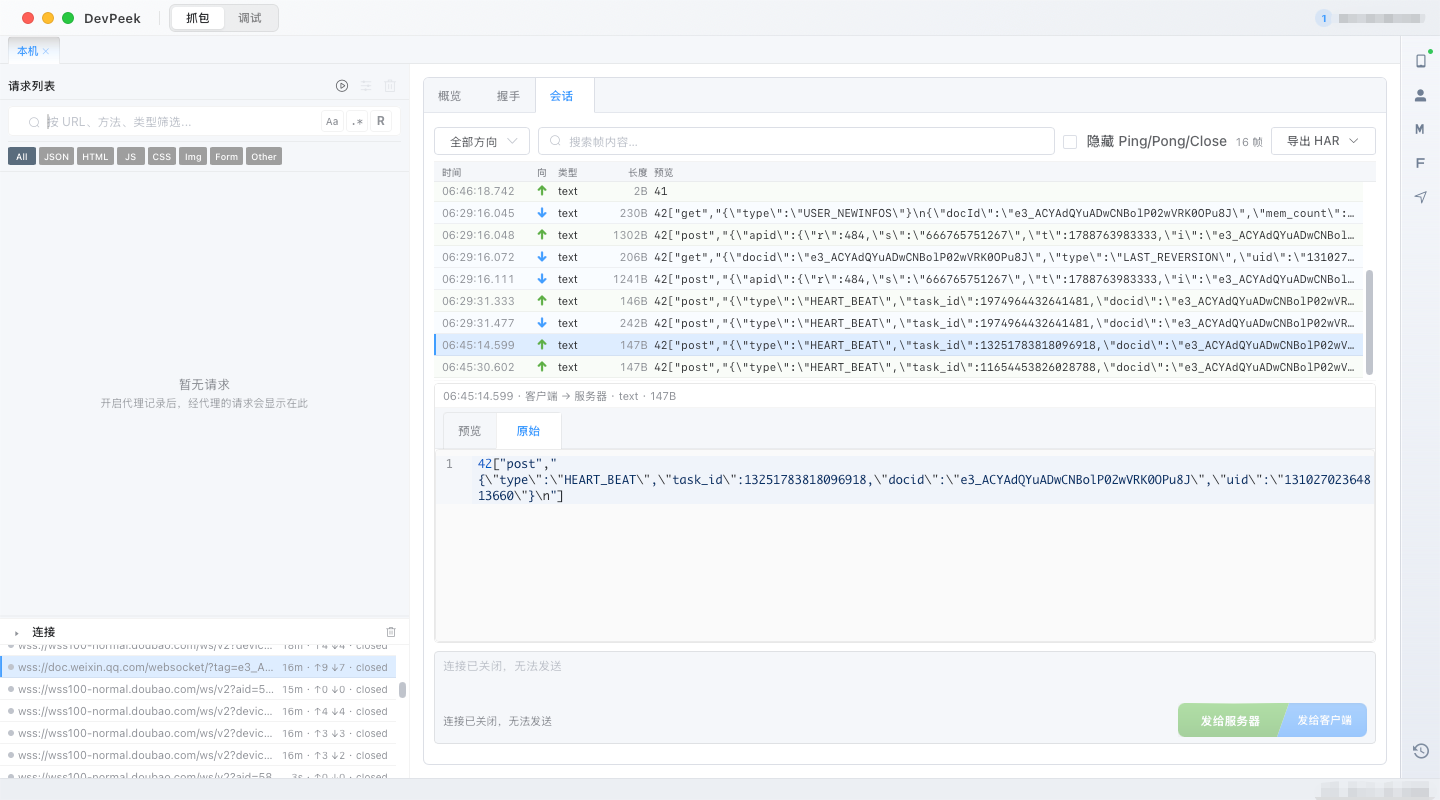
Filter, inspect, and send frames
- Filter by client/server direction and search frame content.
- Hide Ping, Pong, and Close control frames; large sessions load on demand.
- Inspect or copy a text frame, or fill it into the composer, edit it, and send again.
- While Open, simulate either client or server frames. Closed connections are read-only.
Intercept text frames
Text-frame interception is useful for one-off message edits without writing a Flow.
- Enable Intercept text frames in the Session tab.
- New text frames pause before reaching the peer.
- Edit and resume a paused frame, or drop it.
Export HAR
Export all frames, the current filter, the latest 500 / 2000 / 10000 frames, or a range around one business frame. Ping, Pong, and Close are omitted. Review secrets and personal data before sharing.
Use WS Flow as a virtual server
When `# ws` matches and `# upstream off` is set, DevPeek skips the real upstream and responds through Flow conditions, returns, scopes, and lifecycle rules.
- Open the WS Flow side panel or Proxy → WS Flow settings.
- Create a single-file rule with a title, `# ws`, and Flow body.
- Validate first. E errors block apply; review W warnings for your scenario.
- Save, enable the rule, and reconnect the client.
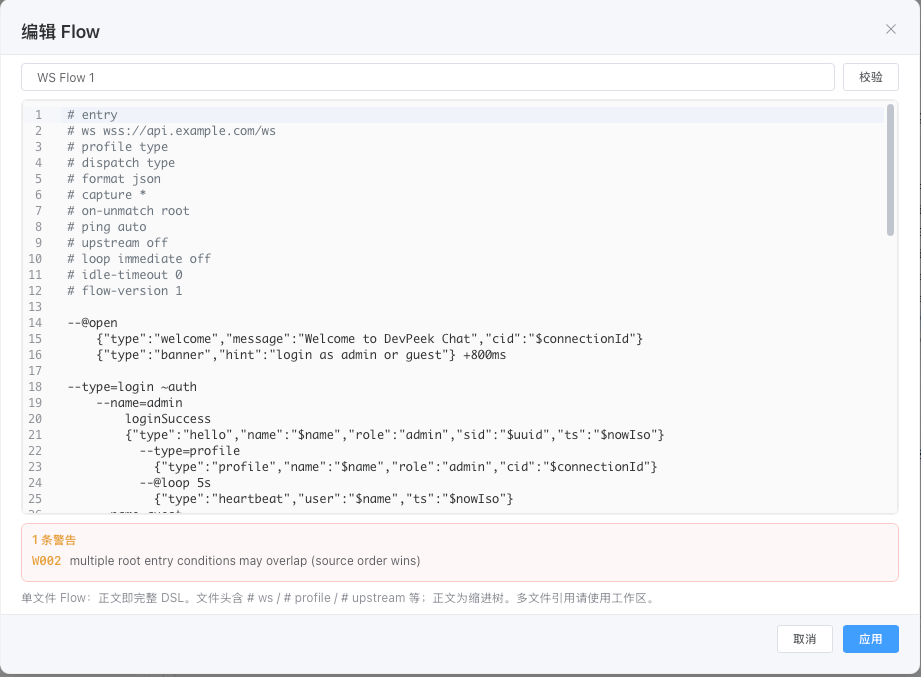
Read the WebSocket Mock guide · Open the full .dpws reference
Troubleshooting
- Handshake but no readable WSS frames: check CA trust, SSL include/exclude rules, and certificate pinning.
- Flow does not match: enable it, reconnect, and compare `# ws` with the actual URL.
- Immediate disconnect: review validation, `# ping auto`, `# idle-timeout`, and unmatched behavior.
- Intercept disabled: select a connection that is still Open.