
Mock/Breakpoint
Mock intercepts requests or responses: **manual Mock** (edit in a full-screen tamper dialog, then continue), or **auto Mock** (apply preset tamper and release; response-only Mock can short-circuit without hitting the origin). Rules are created from the visual capture wizard.
What it does
Use Mock to tweak APIs in joint debugging, simulate errors, or block upstream calls. Each rule has:
- **Match features**: URL, query, body, headers picked from a real request (wildcards supported).
- **Mock mode**: manual Mock (tamper in dialog, then continue) or auto Mock (preset tamper; response Mock can return fake data without contacting the server).
Create from capture
Right-click a row → **Mock**, complete the two-step wizard, and save to the Mock library.
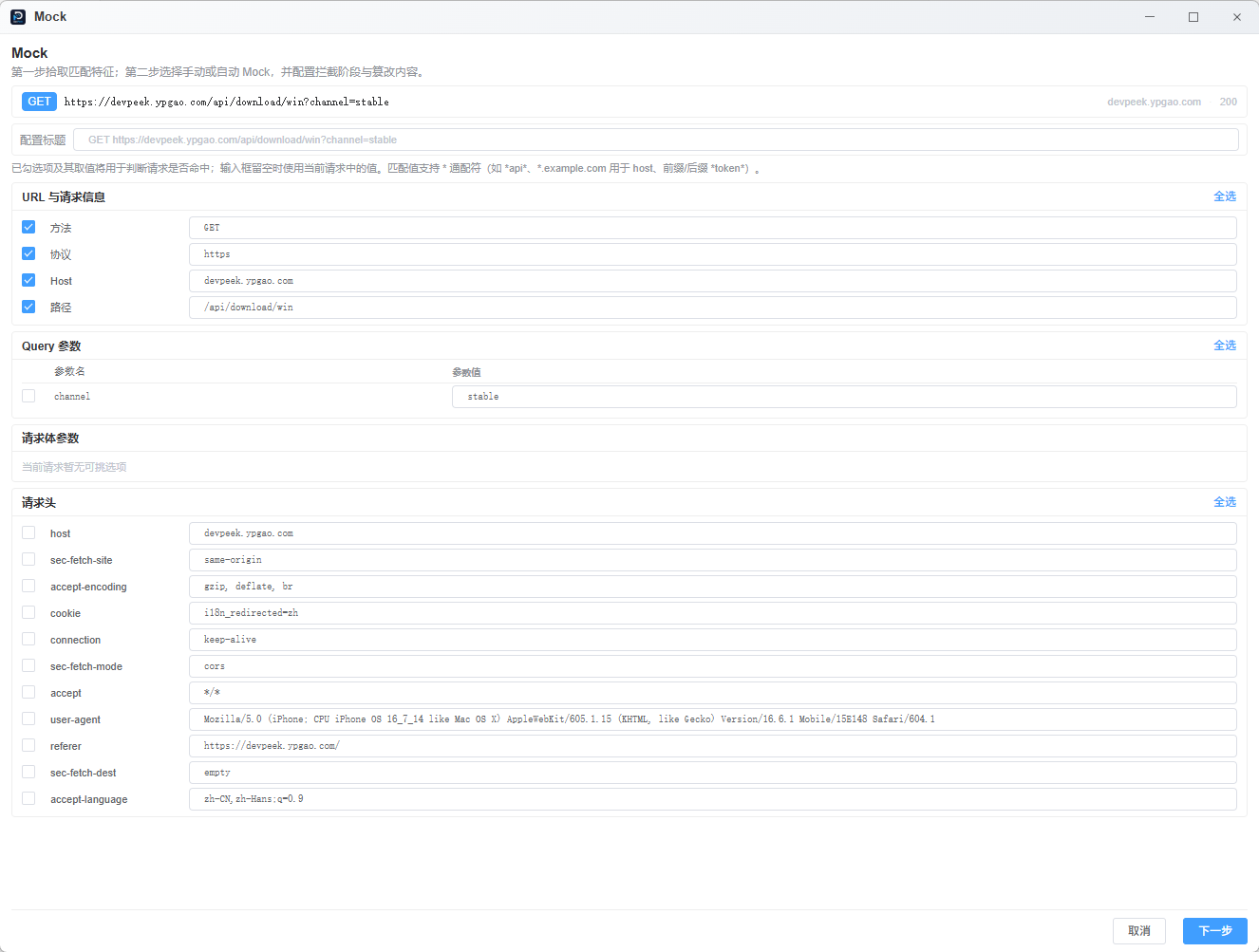
- **Step 1 · Features**: check URL / query / body / header fields and values used to match later traffic.
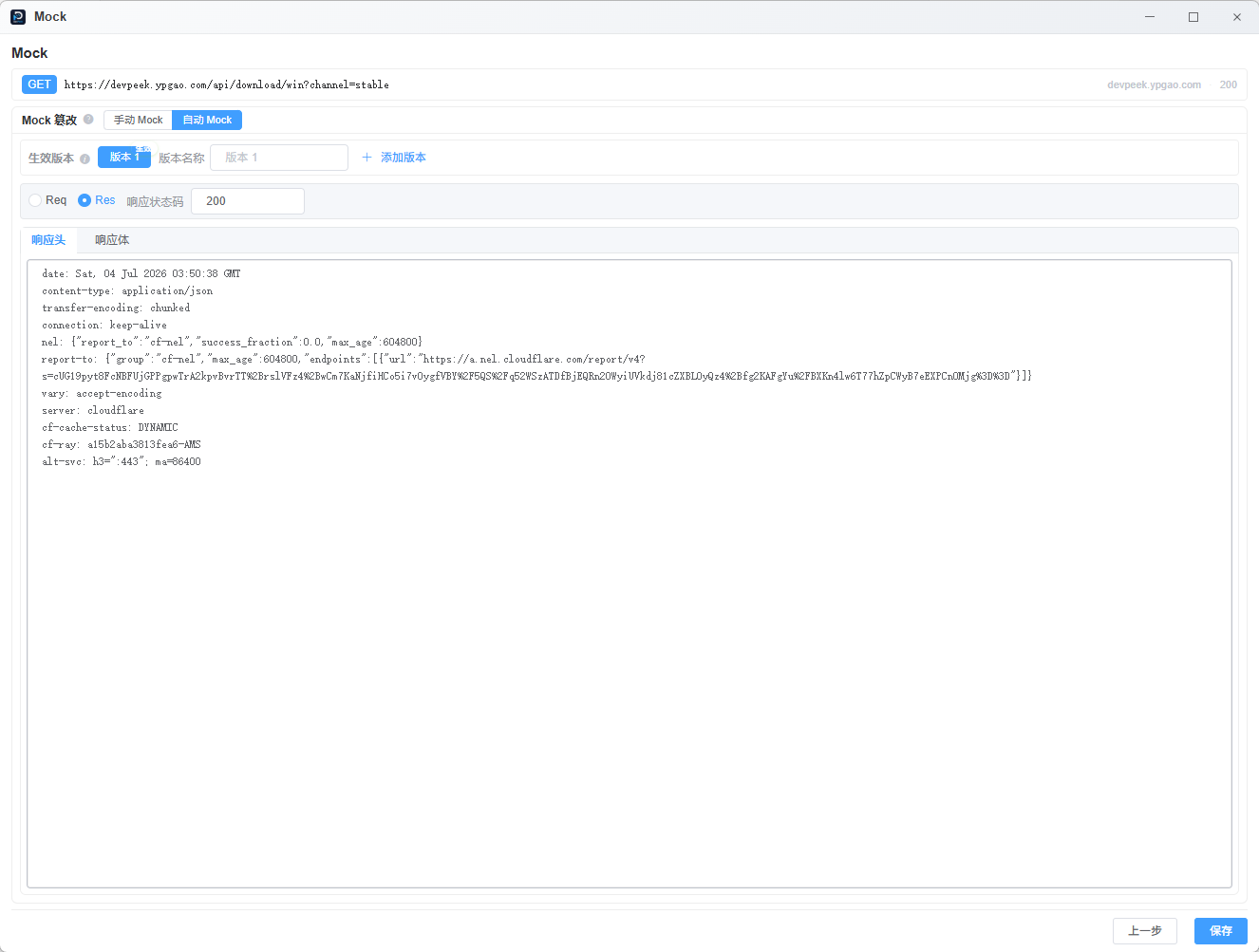
- **Step 2 · Tamper**: pick manual or auto Mock, choose request / response stage, edit headers, body, status, etc.
- After save, use the right-side Mock panel to toggle, filter, and group rules. Open Manage for renaming, versions, ordering, and batch deletion.
Step 1: pick URL, query, body, or header fields from the current request as match features.
Step 2: choose manual or auto Mock and edit request/response tamper; auto Mock can return a preset response only.
Matching
Matches URL, params, etc. from capture; with param transform, can also match decrypted plaintext.
Multiple rules may be **enabled together**; the list is walked **top to bottom** and **the first hit wins**.
Manual vs auto Mock
Manual Mock
Check request / response (one or both). On hit, the **Mock tamper** dialog opens; edit, then Continue or Abort.
If the rule includes a response stage: after request Continue, wait for the origin response, then edit the response.
Auto Mock
Pick request or response for the **active version** and fill tamper fields. On hit, DevPeek **auto-continues** without a manual Continue click.
**Response-only auto Mock**: returns your configured response **without calling the real server**—handy for 404s, empty lists, error JSON, etc.
Tamper versions
Store multiple presets per rule (e.g. happy path vs error), but **only the active version** runs; switch versions to edit alternates kept on disk.
How tamper applies
Request headers: multi-line `Header: value` format; same-name headers are overwritten. Request/response bodies: tamper text **fully replaces** the original (not appended). Response headers: merged with existing headers; tampered names win. Empty tamper with manual mode still pauses; auto mode with empty tamper usually does not intercept.
Turn rules on
Open the right-side Mock panel to toggle a rule or group. Choose Manage for full Mock settings, including order, scenarios, tamper versions, and batch deletion. A running dot indicates enabled rules.
Recording must be on for new captures to enter Mock; per-client **list pause** skips Mock for that IP.
Mock tamper dialog
Manual Mock opens the full-screen **Mock tamper** dialog; the detail pane stays read-only. The dialog is **not limited by client tab or main window tab**—it appears on both **Capture** and **Debug**, sharing the same proxy chain as capture and Debug tab Network.
- While pending items exist, the dialog auto-opens and cannot be dismissed via overlay, Esc, or close; it closes when the queue is empty.
- Pending list on the left, header/body editors on the right; footer Continue/Abort for the current item plus Continue all / Abort all.
- Request then response: after request Continue, wait for the response before editing it.
- Title shows pending count; switching queue items syncs list selection and scroll.
Edit request headers/body and Continue; if the rule includes a response stage, wait for the origin response, then edit it in the dialog.
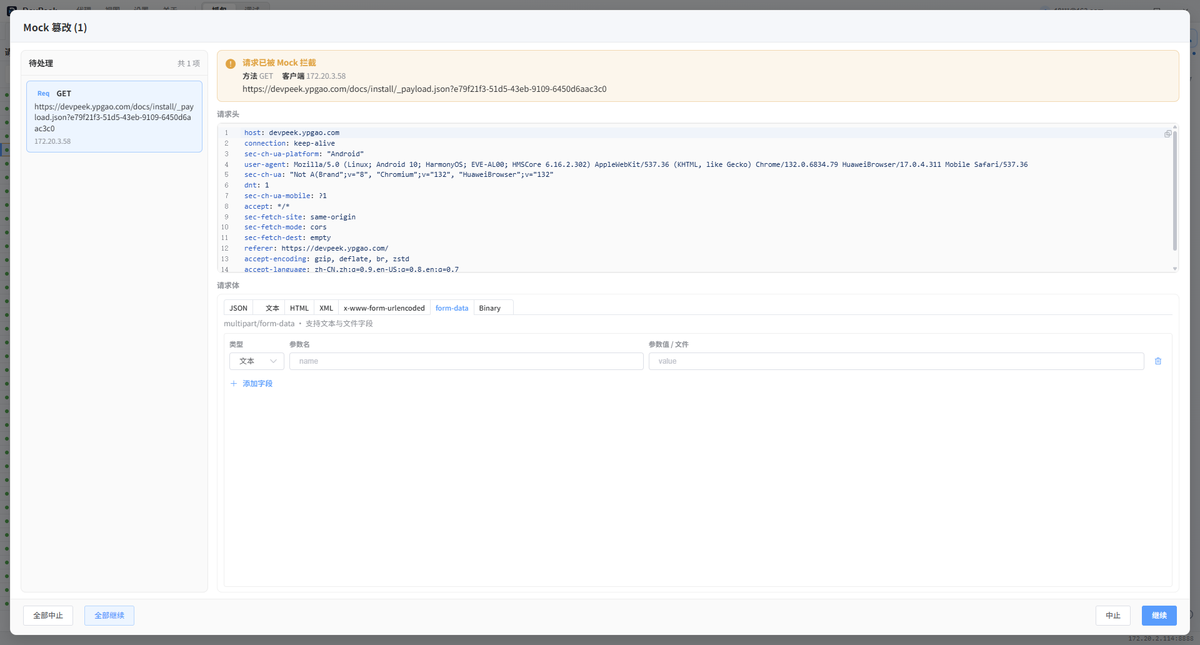
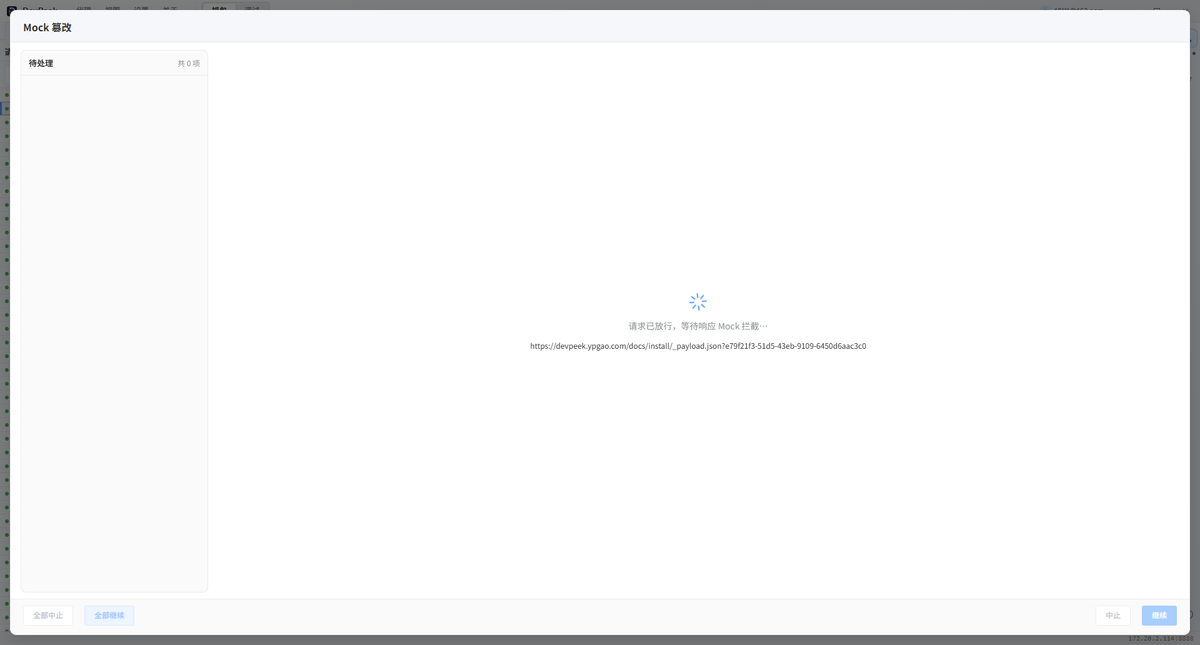
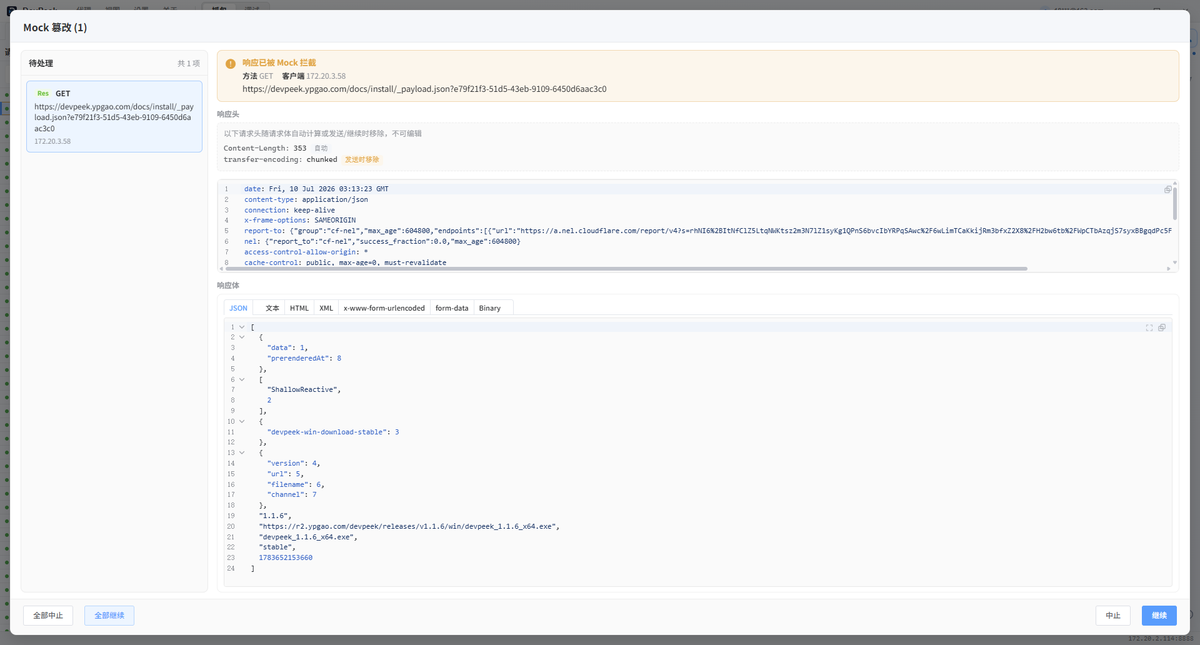
After disconnect or Mock wait timeout, the dialog closes with a notice; detail may show a gray reason bar and list rows are muted. See the capture guide for list/detail sync.
Encrypted params: work in plaintext
When param transform rules bind query/body fields, the Mock tamper dialog and rule wizard **auto-decrypt** and default to editable plaintext—you never manually decode or paste ciphertext.
Before manual Continue or auto release, DevPeek **re-encrypts** edited plaintext (requires re-encrypt in conversion config). Mock feature picking and matching also use decrypted plaintext. See Param transform.
Use with param transform
For encrypted params, configure transform first, then use decrypted fields in Mock features. With Map Route, Mock still matches URLs in capture—see the Map Route guide.
Troubleshooting
- Mock never fires: is a rule enabled in the right-side Mock panel? Recording on? Client tab paused?
- No match: features vs live request; encrypted params need param transform first.
- Auto response Mock still hits origin: active version should be response-only with non-empty tamper.
To mock multi-turn WebSocket dialogs (login state, heartbeats, etc.), see WebSocket Mock.
Mock changes what clients see—get approval on shared environments and keep rollback plans.