
Dev Build Log
After Leaving Electron, Silent Updates Had to Be Ours
The last thing you want mid-session is a restart prompt
Proxy up, Mock and param transform still running, morning captures still in the list—and a dialog asks if you want to restart now. The session dies before the new build is even installed.
Checking and downloading can happen in the background. Replacing files still needs a click. A running process can't overwrite itself, so that restart is unavoidable—just don't do it while you're capturing.
Stock updaters broke when the shell changed
The Tauri piece already said: close the main window and the tray plus Core keep the proxy running. Fine for debugging, awkward for updates.
The old path was electron-updater, tied to the Electron main process. Swap the shell and that path is gone. Tauri ships an updater too; we looked at it. It assumes the window is the app. Ours is just a thin window on the Core URL. Close it and the tray still has to update Launcher and Core. It also isn't one binary: Launcher, Core, and Shell all have to move.
v1.2.1 already switched to a full installer. After the directory layout changed, deltas weren't worth it. What was still missing: check in the background, tell you when the file is ready, stop all three processes after you click, then install. That belongs in the Launcher. It outlives the window and knows whether Core is up.
Download in the background; overwrite after you click
On Windows and macOS it checks about a minute and a half after start, then every few hours. A newer version downloads in the background, gets verified, and is cached. The proxy keeps working; no progress modal. When it's done, a small “update ready” tip appears—apply now, or dismiss and keep working.
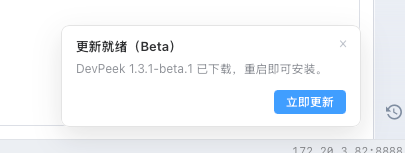
Click apply and the install itself skips the wizard: Windows overwrites in place; macOS replaces the app, then brings the tray back. The pause is that restart. The check and download already finished.
We didn't try swapping files under a live proxy. Overwrite the disk while those three processes are still running and you can land on a half-written tree. Stop them first.
The updater has to dodge the proxy too
DevPeek is often the system proxy. If check and download went through that same proxy, the request would hit the running app, and restart can deadlock. Those two steps skip the system proxy and talk to the feed directly.
Before install, restore the system proxy. Applying kills Launcher, Core, and the window. If the OS still points at a port that just vanished, browsers and phones look offline for those seconds. Don't leave a stale proxy on exit applies here too.
The window only tells the tray the cached package is good. The tray restores the system proxy, waits until it and the proxy and the window are gone, then overwrites silently. If install fails halfway, the next launch finishes or rolls back.
What you'll actually notice
Background silent update is Windows and macOS this round. Linux still uses Check for Updates in About. Lite can show “update ready” if the tray is running, but Lite can't install the desktop build—replacing files is still the tray.
- No “restart now?” dialog in the middle of a session
- The package downloads in the background; the tray shows “update ready”
- You only pause after you click; the tray comes back on its own
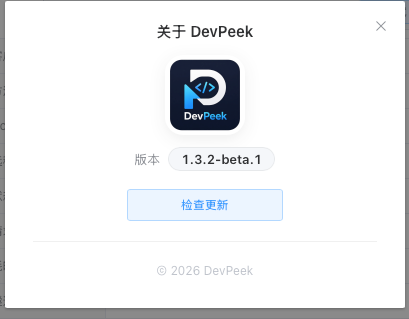
- Check for Updates in About stays, if you want to trigger it yourself
It comes with 1.3.0
Background silent update ships in 1.3.0. Current installers still follow the changelog.
After 1.3.0 is out, if apply fails after a ready tip, or the system proxy isn't restored, tell us the OS and Standard vs Lite on GitHub Discussions.
Same thread as the earlier posts
Moving capture history from sql.js to native SQLite was about storage that survives a long session.
Swapping the desktop shell from Electron to Tauri was about a shell that was too heavy.
The WebSocket Mock DSL was about keeping a light long-lived mock light.
This one: don't interrupt a capture session for an update. Finish the quiet work first, then ask before the restart.
Related docs
Download the current DevPeek and keep using Check for Updates in About. Background silent update comes with 1.3.0. GitHub Discussions if something's off.